Short AI-generated videos can look similar in product demonstrations while requiring very different amounts of preparation, retrying, and downstream editing. For a useful decision, separate each flagship generator from the wider production application that hosts it.
The sections below compare native generation controls, the wider creative applications, credit costs, and commercial-use rules. Rather than repeat claims that one is always “twice as fast” or universally more realistic, it sets out what each can do and how to evaluate them using the same production brief.
Pika and Runway in 2026: platforms versus native models
Pika is no longer represented by only its familiar 2.5 video model. The current Pika Create help center describes a broader catalog containing its own model as well as selected third-party video, image, and audio engines. That changes what it means to buy access to “Pika”: the subscription buys a working environment with multiple tools, not necessarily the same model for every clip.
Runway is also a platform. Its native Gen-4.5 video generator sits alongside separate functions for arranging automated production workflows, animating performances, using an assistant, and selecting other models. It is consequently important to say whether a recommendation concerns the quality and controls of Gen-4.5 itself, or the wider Runway production environment.
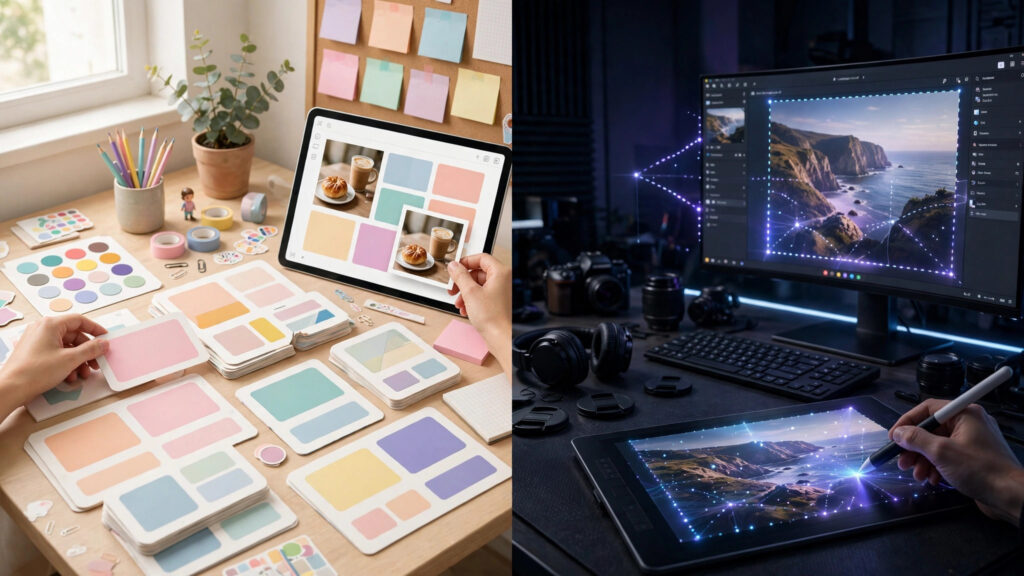
Imagine a creator making a short launch video for a physical product. A creative effects treatment may involve transforming an existing still into an unusual animation. A longer client film might instead require repeatable camera direction, a consistent product over several shots, and reviewable output versions. Both jobs produce video, but they impose different demands on the software.
Our individual Pika review covers that product in greater depth. The same kind of detailed single-platform background is available in our Runway review; this article concentrates on choosing between them.
Pika 2.5: keyframes, effects and the sound workflow
Pika’s flagship 2.5 documentation identifies several ways to start a video: generate from a text description, animate a single reference image, or arrange ordered keyframe images into transitions. A text-only prompt normally produces a short five-second shot. A reference image supports five- or ten-second output, while the Frames route creates transitions among two to five ordered stills.
These options suit a creator who has clear graphic assets or a starting image and wants motion without filming an entire scene. For example, a designer could prepare a product photograph and ask for a controlled turn or camera push. Another brief could involve multiple visual anchors, creating a progression from a close view to a wider final composition. The creator still needs to review continuity and verify that the generated product matches the reference.
Other Pika apps serve more effect-focused jobs. Pikaffects can turn a still image into a stylized effect video. The wider catalog also offers functions for adding elements, changing subjects, adjusting visual appearance, and using audio models. Those tools are features of the creative platform, not proof that the Pika 2.5 model alone performs every operation.
This distinction particularly matters for sound. Pika’s native 2.5 model documentation says the video output itself is silent; Pika Soundtrack supplies a separate way to score completed clips. That does not mean Pika Create as a whole lacks audio tools or that every third-party video model in its library is silent. A buyer producing a sound-led advertisement should verify exactly which model and workflow the chosen task uses.
For repeatable creative campaigns, the attractive part of Pika may be the speed of experimenting with variations in a specialized app. But a one-tap result that fails a brand requirement still needs replacement, so production cost depends on accepted results rather than the ease of producing the first draft.
Runway: Gen-4.5, Workflows and performance animation
Runway’s Gen-4.5 guide documents text-to-video and image-to-video generation with controllable instructions for camera motion, action, and scene development. The published base model specification covers a duration range of two to ten seconds and 720p output, with other export and upscaling capabilities depending on plan and tool.
Gen-4.5 is only one part of Runway’s production approach. The platform also offers node-based Workflows intended to chain repeated operations, and an Agent intended to help create multi-shot work through conversation. These may be meaningful to a studio managing revisions, versioned outputs, or repeatable creative pipelines.
Runway’s Act-Two is another distinct tool. It transfers movement, expression, and speech behavior from a driving performance to a character represented by an image or video. That can be helpful when a project requires a directed performance rather than an entirely invented clip. It should not be confused with Gen-4.5’s default generation function, and it has its own input rules and credit usage.
The practical difference is easier to understand as a production question: do you primarily need a fast way to animate a still with a visual effect, or do you need to coordinate multiple generation and revision steps with stronger production structure? Runway may be worth the additional setup when the second problem dominates. That is a workflow recommendation, not a controlled finding that its every clip has superior visual quality.
Model choice matters here too. Runway subscriptions can include third-party video models. If a user selects one of those instead of Gen-4.5, its rates, capabilities and output characteristics must be evaluated separately.
Motion quality, realism and editing without fabricated rankings
A video that looks sharp at a glance can still fail in motion. Human or animal movement, an object passing behind another, text in the scene, camera rotation, and the continuity of recognizable subjects are all challenges worth evaluating. Success on one clip does not establish general superiority across all these cases.
The safest comparison uses the same four scene requirements in both applications, then records the actual models used. A simple test set could include a product changing direction, a slow camera arc, a recurring object across two shots, and a deliberately stylized effect. For each attempt, capture whether the model followed the instruction, whether the main subject remained intact, whether the movement was coherent, and whether further editing was needed.
Effects and advanced editing should be scored separately. A platform that makes an exaggerated visual transformation easy is not necessarily the best place to direct a subtle cinematic move. Likewise, a production tool with better project organization may not be the most convenient choice for a single short social clip.
We have not generated matched Pika and Runway test clips for this article and therefore do not assign artificial performance percentages or claim one model consistently renders faster. Such claims require controlled runs with matching inputs, durations, resolution, account conditions, and enough attempts to account for variability.
Costs, credits and commercial-use permissions
Pika’s current pricing should be read from its new Pika Create environment, not assumed from older subscription screenshots. Its official pricing table lists Starter at $10 per month with 900 monthly credits and Creator at $35 with 3,150 credits. Importantly, Starter does not include a commercial license, while Creator does. A watermark-free export alone does not establish permission for a client advertisement.
Pika’s Free offering currently specifies no recurring monthly credits; users can obtain separate credit packs. Generation charges vary with the chosen model, app, duration and settings. It follows that a fixed number of Pika credits cannot be reliably converted into a universal number of usable video seconds without identifying the actual generation path.
Runway’s credits guide lists a Standard monthly allocation of 625 credits and Pro at 2,250. It says Gen-4.5 consumes 12 credits per generated second. At that rate, a five-second result costs 60 credits, and ten such attempts would use 600 credits.
Credits from different services are not equal monetary units. To compare real costs, divide the total money spent by the number of clips accepted against your brief, while noting the required resolution, sound, and extra editing. A $10 starter package that cannot legally be used in a commercial client project may be a worse choice for that project than a more expensive plan with the correct rights.
Review cancellation, unused-credit expiry, model-specific pricing, generation queues, and whether purchased credits are separate from a developer API. These details can matter greatly to a creator producing small numbers of shots each month.
Which creative workflow is the better fit?
Consider Pika Create first when the project focuses on short, stylized effect treatments, simple image animation, or keyframe-led experimentation. The specialized apps may reduce the work needed to reach a creative idea, provided the chosen model meets your duration, quality, and export requirements. If the output will be used for paid client work, evaluate a tier that actually includes commercial rights.
Consider Runway first when the project demands more organized iteration, directed generative shots, repeatable workflows, or performance-driven character animation. Gen-4.5 and the surrounding tools provide several different paths, but selecting the appropriate tool and managing credits remain essential.
Compare the underlying models separately if your decision is fundamentally about visual output quality. Record the selected underlying model for each test; exports created using different models should not be treated as a direct comparison of their host workspaces. The same is true when a Runway project uses a model other than Gen-4.5.
For an expanded view of the category, our AI video generator overview offers additional options. A sensible purchasing process is to select two representative tasks, cap trial spending on both platforms, and count accepted outputs under the same standard. Choose the workflow that reliably gets those tasks to completion without an impractical number of retries or rights complications.
Research approach and limitations
This comparison uses the manufacturers’ model and pricing documentation and a review of current comparative coverage; it does not claim firsthand matched testing or independent laboratory scores. We distinguish specific native-model features from the wider apps that offer them, and treat prices as time-sensitive rather than permanent.
For a production decision, inspect the exact plan and license in your region, confirm the chosen model and duration settings, and record every trial’s costs and failure reasons. That produces a useful answer for your work instead of relying on a generic “winner” label.