Google’s image-generation workflow inside Gemini changed substantially in 2026. The current default model is Nano Banana 2, officially Gemini 3.1 Flash Image, while paid Google AI subscribers can redo eligible images with the more demanding Nano Banana Pro workflow. The practical result is a system that is less about one-shot text-to-image generation and more about conversational creation: generate, upload references, request a local change, preserve the parts that already work, and continue refining.
That conversational editing model is where Gemini is most distinctive. Nano Banana 2 also brings stronger text rendering, multiple reference images, character consistency, broader aspect ratios, higher-resolution options and Google Search grounding in supported developer workflows. The caveat is familiar but important: exact text, factual diagrams, product details and brand assets still need human verification before publication.
Readers looking for the broader assistant rather than the image system can see our Google Gemini review. This article focuses only on Google’s current image-generation and image-editing workflow.
What Google Gemini image generation is in 2026
Google introduced Nano Banana 2 in February 2026 as the public-facing name for Gemini 3.1 Flash Image. It is now the mainstream image-generation and editing model used across Gemini experiences where the current model is available. Google positions it as a faster counterpart to its higher-end Gemini 3 Pro Image model while retaining high-quality image generation and multimodal reasoning.
The naming can be confusing because “Nano Banana” is a product nickname rather than the developer model ID. In practical terms:
| Google image model | Official model identity | Role |
|---|---|---|
| Nano Banana 2 | Gemini 3.1 Flash Image | Current general-purpose image generation and editing, optimized around speed, quality and broad access |
| Nano Banana Pro | Gemini 3 Pro Image | Higher-control premium workflow for more demanding composition, text and reference-heavy work |
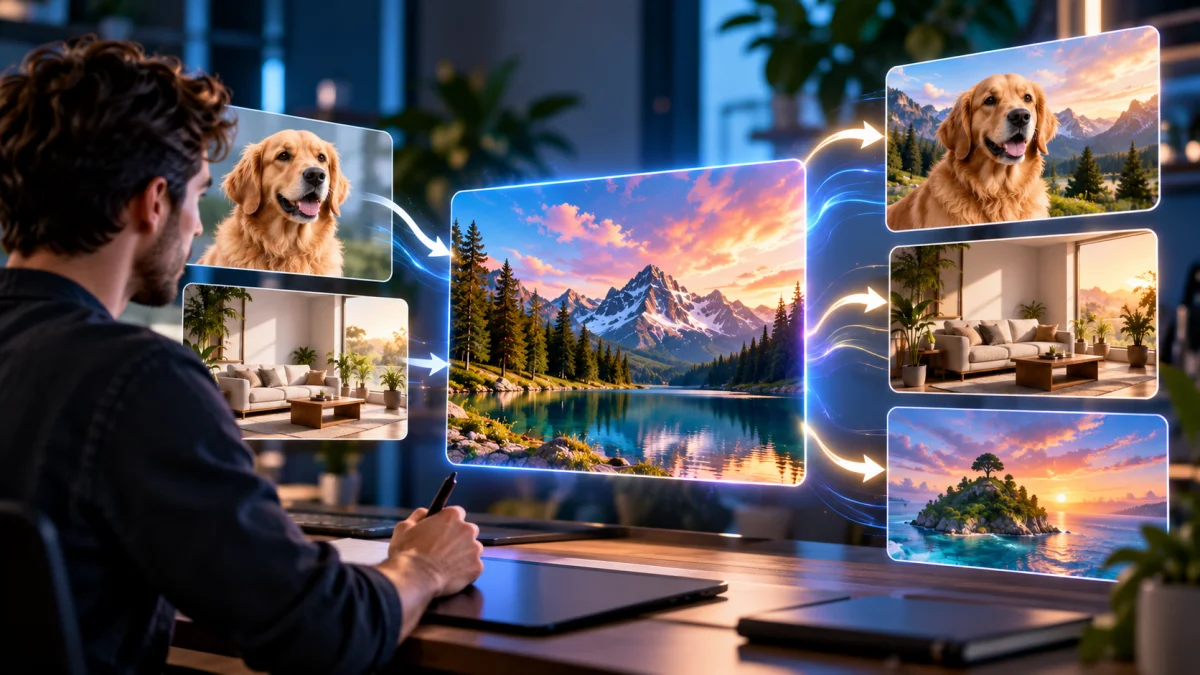
The most useful conceptual change is that Gemini treats images as part of a conversation. A user can generate an image, upload one or more references, ask for a targeted change, inspect the result and continue refining rather than starting from a fresh prompt every time.
Nano Banana 2 vs Nano Banana Pro
Nano Banana 2 is the practical default for most Gemini image work. It is intended to balance quality and latency and is the model Google exposes broadly in Gemini Apps. Nano Banana Pro is the premium option available through supported paid Google AI experiences and is intended for more complex visual tasks where maximum control matters more than speed.
In Gemini Apps, paid subscribers can redo eligible Nano Banana 2 images with Nano Banana Pro. That matters because it creates a two-stage workflow: use the faster model to explore composition and direction, then move a strong result to the higher-end model when the final asset requires more detailed refinement.
This is not the same as saying Pro will always produce a visibly better image. Image quality depends on the brief, references, composition and the kind of visual being produced. The more reliable distinction is product positioning: Nano Banana 2 is Google’s general-purpose option; Pro is the higher-control option for harder jobs.
Conversational editing and reference consistency
Google’s current Gemini Help documentation highlights local edits, character consistency, enhanced instruction following and support for multiple reference images. Those capabilities make the system useful when the task starts from an existing visual rather than a blank prompt.
A marketer, for example, can upload a product photo and ask Gemini to change the environment while keeping the product shape and color intact. An illustrator can provide reference images for a recurring subject and request another scene. A publisher can take an existing editorial visual and ask for a cleaner crop or a different background without rebuilding the concept from zero.
The workflow is strongest when instructions specify both what should change and what should remain unchanged. “Replace the background with a clean studio environment while preserving the product’s shape, color and label position” is more useful than simply asking for a new background.
Consistency is improved, not guaranteed. Repeated edits can still introduce drift in faces, products, small accessories or background details. The safest production habit is to save good intermediate versions and return to the strongest clean result rather than stacking an endless chain of edits.
Text rendering, infographics and grounded visuals
Text inside AI-generated images has historically been unreliable, and Google’s current model documentation specifically calls out improved text rendering and internationalization. Nano Banana 2 is therefore more relevant for posters, mockups, simple diagrams, menus, presentation graphics and other visuals where readable text is part of the composition.
Improved does not mean infallible. Exact labels, dates, prices, statistics, legal language and brand typography should be checked manually. A generated infographic can look polished while containing a wrong number or subtly altered word. For any consequential visual, the image should be treated as a draft until every visible fact has been verified.
The model also supports Search grounding in developer workflows. That can help when a visual request depends on current or real-world information, but grounding does not transfer responsibility to the model. The underlying facts still need to be checked before a chart, diagram or explanatory graphic is published.
For users whose main requirement is highly controlled text-first graphics, our Ideogram review covers a more dedicated image product built around design and rendered text.
Resolution, aspect ratios and production controls
The current Gemini 3.1 Flash Image model card lists image output options at 0.5K, 1K, 2K and 4K, with 1K as the default in the API. It also adds extreme aspect ratios including 1:4, 4:1, 1:8 and 8:1 alongside more conventional landscape, portrait and square formats.
That range is useful for production because a banner, mobile story, poster and square social asset do not need the same canvas. Extreme aspect ratios are especially useful for panoramic banners, narrow web placements and vertically oriented designs that would otherwise require aggressive cropping.
Consumer Gemini Apps expose a simpler version of that capability. Google’s current help documentation says users without a Google AI plan can download Nano Banana 2 images at 1K, while users with a Google AI plan can download them at 2K. Developer access can expose broader model-level settings depending on the API workflow.
Google’s model card also lists text, image, video and PDF as supported input types for Gemini 3.1 Flash Image, with image and text output. That multimodal input range can be useful when an image task needs to draw from a reference document or visual source rather than a prompt alone.
Free vs paid Google AI access
Gemini Apps currently provide Nano Banana 2 image generation broadly, although quotas and availability can vary by account, product surface, region and demand. Paid Google AI subscribers receive expanded access and can use Nano Banana Pro redo workflows where supported.
Google AI Pro currently costs $19.99 per month in the United States. The plan includes expanded Gemini access and broader use of Google’s creative models alongside storage and other Google One benefits.
| Access level | Gemini image access | Current consumer download | Best fit |
|---|---|---|---|
| Without Google AI plan | Nano Banana 2 with standard account limits | 1K | Casual generation and editing |
| Google AI plan | Expanded Nano Banana 2 access plus eligible Nano Banana Pro redo | 2K for Nano Banana 2 | Regular creative work and more demanding image workflows |
Anyone using Gemini image generation only occasionally may not need a paid plan. The subscription makes more sense when the user already values the broader Google AI bundle or repeatedly needs higher limits, 2K consumer downloads or the Pro redo path.
SynthID, C2PA and responsible use
Google embeds an invisible SynthID watermark in AI-generated or AI-edited media created with Gemini Apps. Google also uses C2PA Content Credentials as an additional provenance signal. These mechanisms are designed to help preserve information about AI involvement even when the visual itself does not carry an obvious label.
That does not make the output automatically safe to publish. Gemini Apps help page explicitly warns users not to violate other people’s copyright or privacy rights and to use discretion before relying on, publishing or using generated content.
For professional work, the same principles apply that we use across our AI tool review methodology: verify consequential details, keep source rights in mind, do not assume a generated logo or character is legally unique, and review visual claims before they reach an audience.
Where Gemini image generation falls short
The first limitation is precision. Conversational editing can preserve a scene better than repeatedly regenerating from scratch, but small details can still drift across iterations. Products, faces, labels and recurring characters should be checked carefully after every important edit.
Second, readable text is still not the same as production typography. Google has improved in-image text, but a brand campaign, product package or legal notice may require exact font choice, spacing, kerning and copy that is better finished in a dedicated design tool.
Third, Gemini does not replace layered professional editing. It can make impressive local changes through natural language, but workflows that depend on precise masks, vector paths, print color management or fully editable design files still belong in specialist software.
Benchmark caution: current third-party Nano Banana reviews often cite leaderboard positions, latency figures or highly specific quality percentages. Those numbers can be useful when the methodology is transparent and reproducible, but AiTechJournal does not treat them as established facts merely because they appear in a review or model marketplace.
Gemini Image vs Midjourney, Ideogram, Leonardo, Recraft and Firefly
Gemini’s strongest differentiator is conversational multimodal editing inside an assistant people may already use. Midjourney remains more naturally associated with aesthetic exploration and image-first creative work. Ideogram is especially relevant when text-heavy graphic generation is the core task.
Leonardo offers deeper control surfaces around custom Elements, Realtime Canvas and a broader creative suite. Our Leonardo AI review is more relevant for users who want LoRA-style consistency and multiple production controls.
Recraft is a stronger fit when editable SVG vectors and design-production assets are decisive; see our Recraft review. Adobe Firefly remains compelling for teams already centered on Photoshop, Illustrator and Creative Cloud.
There is no single universal winner. Gemini makes the most sense when natural-language editing, references, text-aware visuals and integration with the broader Google AI experience matter more than the specialist controls of a dedicated design platform.
Who should use Gemini image generation?
| User | Fit | Why |
|---|---|---|
| Marketers and content teams | Strong | Fast generation, conversational edits, text-aware visuals and flexible aspect ratios |
| Creators editing existing images | Strong | Local edits and multiple references reduce the need to restart a composition |
| Teams already using Gemini | Strong | Image creation sits inside the same assistant and Google AI subscription |
| Designers needing editable vectors or layered files | Mixed | Specialist tools such as Recraft, Illustrator or Photoshop offer deeper production control |
| Users publishing exact text or factual graphics | Supporting | Useful for drafting, but every visible word and number requires verification |
Google Gemini image generation review: final verdict
Nano Banana 2 has made Gemini a credible image workspace rather than a chatbot with an image button. Its strongest features are the ones that make visual work iterative: multiple references, local edits, character consistency, better text handling and the ability to continue refining the same idea through conversation.
Nano Banana Pro gives paid users a higher-end path when a promising image needs more demanding treatment, while the default Flash-based model remains the practical choice for speed and everyday work. Gemini is not the best tool for every designer, but it is unusually convenient for users who want image creation and editing to behave like part of a multimodal conversation.
Frequently asked questions
What is Nano Banana 2?
Nano Banana 2 is Google’s current general-purpose image-generation and editing model, officially named Gemini 3.1 Flash Image.
Is Gemini image generation free?
Nano Banana 2 is available in Gemini Apps without a paid Google AI plan, subject to account and usage limits. Paid plans provide expanded access and supported Nano Banana Pro redo workflows.
Can Gemini edit uploaded photos?
Yes. Gemini supports local edits, conversational changes and multiple reference images. Users should still review identity, product details and other unchanged areas after each important edit.
Does Gemini watermark AI images?
Yes. Google says AI-generated or AI-edited media created with Gemini Apps includes an invisible SynthID watermark, with C2PA Content Credentials also used as provenance signals.
Is Nano Banana 2 better than Midjourney or Ideogram?
It depends on the job. Nano Banana 2 is strong for conversational editing, references and Google-integrated workflows; Midjourney is more image-first and aesthetic, while Ideogram is particularly relevant for dedicated text-heavy design generation.