OpenAI has launched Images 2.6, the new version of its image generation and editing model. Announced on 4 November 2026, it is available globally in ChatGPT and Codex across all subscription tiers, and in the API as two new models, GPT-Image-2.6 Flare and Sunburst. The headline changes are faster generation, the ability to animate images as GIFs, saved reference images that keep a character consistent across chats, and finer editing controls for developers — at the same API token rates as version 2.5.
What’s new at a glance
| Change | What it means |
|---|---|
| GIF animation | Turn a text prompt or a photo into an animated GIF |
| Saved reference images | Save a photo once, reuse it in later chats without uploading again |
| Faster generation | OpenAI says 50% faster than before; Flare in as little as ~6 seconds at low quality |
| Two API models | Flare for speed, Sunburst for quality and edit consistency |
| Image markup in the API | Pinpoint exactly where to make an edit, previously only in ChatGPT |
| SVG exports | Designs ready to use across websites, apps, and print |
| Complexity parameter | Control how much planning the model does for a request |
GIFs: the headline feature
The most visible change is motion. Images 2.6 can animate a brand mascot, turn a product shot into a looping GIF, or build animated storyboards to explore character movement before video production. OpenAI says even a simple sketch can become an animated character — its example starts from a pen-drawn owl on lined paper.
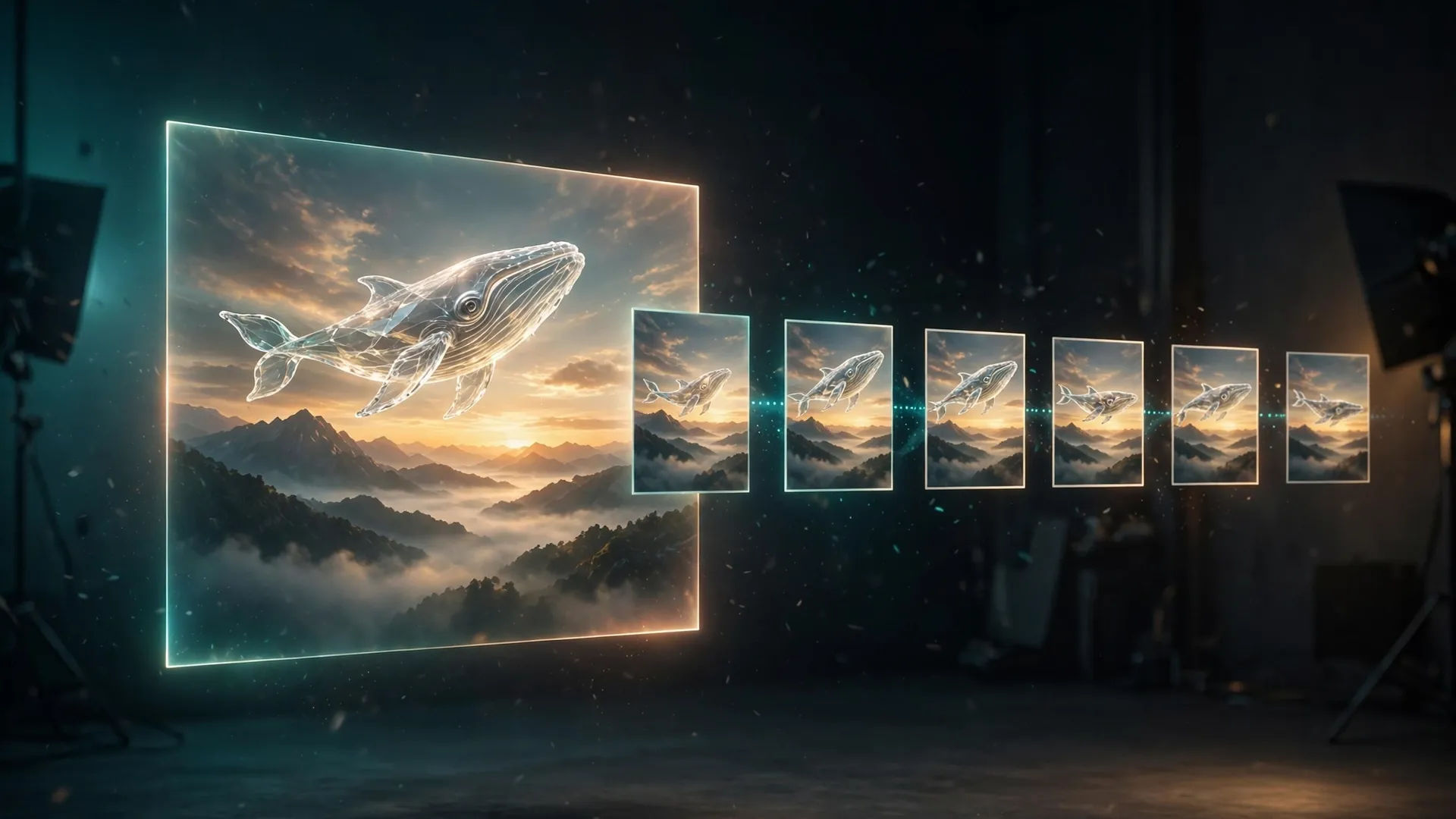
In OpenAI’s examples, the GIF is built as a sprite sheet: a single image holding six sequential frames in a 3-by-2 grid, which then loops. The example prompts are written to keep the character, setting, and framing identical across all six frames, so the loop reads as one continuous motion rather than six separate pictures. You can also adjust a GIF’s playback speed and edit individual frames, according to OpenAI’s announcement.
Saved reference images: save once, reuse everywhere
The second ChatGPT feature is about consistency. You can save a reference image — of yourself, a pet, or a character — under a name, and reuse it in later chats without uploading it again. OpenAI’s release notes give the example of saving a photo of a dog as Pepper, then asking for a watercolor portrait of @Pepper in a new chat. Instead of describing the same character from scratch each time and hoping it comes out looking the same, the saved reference keeps its appearance.
This is a ChatGPT feature, announced alongside the model. OpenAI describes it as keeping reference images “ready to reuse in new creations” — it solves the familiar problem of a character drifting every time you ask for a new pose or scene.
Flare vs Sunburst: which API model to pick
Developers get a choice this time, and the choice is a trade-off between speed and fidelity:
- GPT-Image-2.6 Flare is the fast option. OpenAI says it can generate images in as little as six seconds when quality is set to low, and that it improves layout quality for posters, product imagery, and other professional visuals.
- GPT-Image-2.6 Sunburst is the quality option. OpenAI positions it for work that needs greater detail and precision, with better consistency across edits when quality is set to medium or high.
A new complexity parameter sits alongside the existing quality setting. Quality controls visual detail and fidelity; complexity controls how much planning the model puts into the scene. OpenAI recommends low complexity for most editing tasks, paired with the quality the workflow needs, and medium or high complexity for scenes with many elements or constraints.
Two more API additions: image markup, which was already available in ChatGPT, now comes to the API so teams can mark exactly where a change should happen; and SVG exports, which make generated designs usable directly in websites, apps, and print.
Availability: who gets it
Images 2.6 is available globally in ChatGPT and Codex across all subscription tiers on desktop, mobile, and web, according to OpenAI’s announcement. Both API models, GPT-Image-2.6 Flare and Sunburst, are available in the API now. OpenAI describes the launch as available from day one, with no staged rollout or waiting list mentioned in the announcement. One exception: GIF creation is rolling out in ChatGPT, according to OpenAI’s release notes for 4 November — so some users may not see the GIF option on day one even though the model itself is available.
What it costs
For developers, the API pricing is unchanged from version 2.5. Both 2.6 models are billed per million tokens at the same rates as their 2.5 counterparts:
| Model | Image input | Image output | Cached image input | Text input | Cached text input |
|---|---|---|---|---|---|
| GPT-Image-2.6 Flare | $8.00 | $30.00 | $2.00 | $5.00 | $1.25 |
| GPT-Image-2.6 Sunburst | $8.00 | $30.00 | $2.00 | $5.00 | $1.25 |
Rates are per 1M tokens, from OpenAI’s official pricing page. What an individual image actually costs depends on its size and quality settings, which change the token count — OpenAI points developers to a calculator in its image generation guide rather than quoting a per-image price, so no single per-image figure applies.
For ChatGPT and Codex users, Images 2.6 is included across all subscription tiers; OpenAI announced no separate price for it.
What to watch
A few things to keep in perspective. The speed figures — 50% faster, six seconds for Flare at low quality — are OpenAI’s claims, not independent measurements, and they describe the API models under specific settings. The “4 billion images per week” figure OpenAI cites for ChatGPT, Codex, and the API combined is also the company’s own number. We have not tested Images 2.6 ourselves, so this report describes what OpenAI announced and what its pricing page states — not hands-on results.
OpenAI has also published a system card covering its safety evaluations and safeguards for Images 2.6, linked from the announcement. The details of those evaluations are worth reading before using the model for anything sensitive, and the announcement itself is the primary source for everything in this article.
If you use ChatGPT’s image tools, the change most worth trying first is the GIF workflow — it is the most visible new feature, with no equivalent in 2.5. Developers should start by deciding between Flare and Sunburst on the speed-versus-consistency trade-off, and note that the markup and SVG features are API-only additions worth testing against an existing editing workflow. For a wider view of the options, see our roundup of the best AI image generators and our ChatGPT Images vs Recraft comparison.