Recraft is easiest to understand as an AI design workspace rather than a generic text-to-image generator. It can create conventional raster images, but its more distinctive value is what happens after the first generation: editable vector output, image editing, vectorization, mockups, upscaling, reusable visual styles and API access all sit inside the same broader production workflow.
That makes Recraft especially relevant to designers, marketers, illustrators and teams that need visual assets to survive beyond the prompt box. A polished concept is useful, but an editable SVG, a repeatable visual style or a production-ready export can matter more in real design work. Recraft’s current V4.1 family pushes that design-first positioning further, while V4.1 Flash adds a faster iteration route for early exploration.
What Recraft is in 2026
Recraft combines AI image generation with design-oriented tools for raster images, vectors, editing and asset production. The platform’s current model line includes V4 and the newer V4.1 family, and Recraft Studio also exposes outside image models alongside Recraft’s own models.
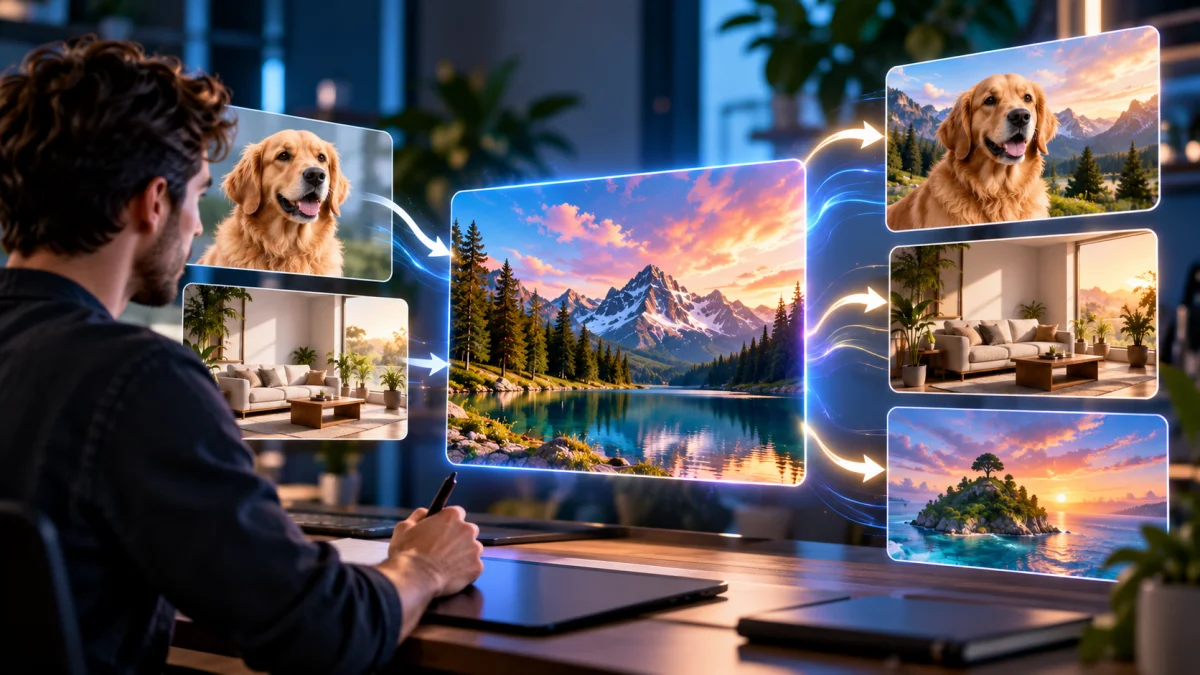
The main reason to consider it is workflow breadth. A user can begin with a prompt, generate a visual direction, move into editing or vectorization, apply a reusable style, refine or upscale the result and export the final asset without treating every step as a separate application.
That does not mean Recraft replaces a full professional design suite. Detailed typography, complex layout systems, print preflight and precise manual path editing can still require dedicated tools. Recraft is strongest when AI can accelerate concepting and asset production while a human designer remains responsible for final judgment.
Recraft V4.1, Utility, Vector and Flash
Recraft launched V4 in February 2026 with Standard, Pro, Vector and Pro Vector versions. The Standard model targets general raster generation, while Pro increases output resolution and detail. The Vector variants generate actual editable SVG files rather than raster images that only imitate a vector aesthetic. Recraft says all V4 variants are available across its plans, including Free.
In May 2026, the company introduced Recraft V4.1 release. The family separates creative jobs more explicitly. The main V4.1 model is positioned for expressive concepting and art direction. V4.1 Utility is intended for cleaner, more predictable output where a straightforward product shot, mockup or brief-led composition matters more than creative surprise. V4.1 Vector focuses on logos, typography and illustration in scalable form.
September added V4.1 Flash, a separate fast model for rapid iteration. Recraft reports approximately 1.3 seconds from prompt to image through its API. That figure is vendor-reported rather than an independent AiTechJournal measurement, but the product direction is clear: Flash is designed to make early variation faster, while a Refine workflow can move a promising result into higher-quality processing without forcing the user to restart the composition.
| Model/workflow | Primary role | Best suited to |
|---|---|---|
| V4.1 | Expressive raster generation | Concepting, campaigns, editorial visuals and creative exploration |
| V4.1 Utility | More predictable production output | Mockups, product-oriented images and straightforward brief execution |
| V4.1 Vector | Editable vector generation | Logos, icons, typography and scalable illustration |
| V4.1 Flash | Fast iteration | Rapid visual exploration before refinement |
Vector generation is Recraft’s clearest differentiator
Most AI image generators are built around raster output. They can create an image that looks like vector artwork, but the result is still a bitmap. Recraft’s V4 and V4.1 vector models are designed to produce editable SVG files with structured vector geometry.
That difference is practical. A logo concept, icon set or illustration often needs to scale cleanly across a website, packaging, signage and print. With a true vector asset, the designer can continue editing shapes and paths in professional software rather than tracing a raster result from scratch.
The caveat is that “editable vector” does not automatically mean “finished vector.” Complex generated artwork can still require cleanup, simplification or typographic correction before it is ready for a brand system. Recraft is most valuable when it removes the blank-page and tracing work, not when the output is assumed to be final without inspection.
Editing, vectorization, mockups and upscaling
Recraft Studio includes several post-generation tools that make the product more useful for production work. Its API documentation and current pricing pages describe image and vector generation, editing, background removal, inpainting, outpainting, batch jobs and asynchronous processing. Recraft also provides vectorization and both crisp and generative upscaling workflows.
This matters because image generation rarely ends with the first output. A marketing asset may need a background removed, a product repositioned, empty space extended for copy, a raster logo converted into scalable artwork, or a low-resolution concept prepared for a larger format.
Recraft’s advantage is not that every one of those tools is unique. The advantage is that they can be used in the same workspace. Designers who already have a mature Adobe or Affinity workflow may still export early, but teams that want fewer application switches can keep more of the process inside Recraft.
V4 Styles and visual consistency
Brand consistency is often harder than producing one attractive image. Recraft’s V4 Styles feature, released in August 2026, lets users choose a style from the library or build one from a reference and then reuse that visual direction across later generations. Recraft says this does not require training a custom model.
That is useful for campaigns, social media series, product families and editorial packages where ten individually strong images are less valuable than ten images that feel as though they belong together.
Style consistency still needs human review. A reference-driven style can hold the broad visual language while individual generations drift in composition, details or subject treatment. Recraft therefore works best when the style system reduces variation, while a designer still approves the final set.
Recraft pricing, credits and commercial rights
Recraft uses a credit-based subscription model. Its live pricing page supports monthly and annual billing and advertises a 20% saving for annual plans. Subscription credits reset with each billing cycle, while separately purchased top-up credits do not expire.
Plan prices have changed enough that the safest approach is to treat any figure as a snapshot. A Recraft article published in October 2026 says Basic starts at $12 per month for 1,000 credits. Readers planning a purchase should still check Recraft’s live pricing page because the exact plan matrix, included credits and external-model costs can change.
The more important distinction is licensing. Images generated on the Free plan are owned by Recraft, can appear publicly in the community gallery and are not licensed for commercial use. Upgrading later does not retroactively convert those old Free-plan generations into commercially owned assets.
Paid-plan assets are different. Recraft says paid subscribers own the images generated while subscribed and receive commercial rights to use them. Paid generations are also private rather than being placed in the public community gallery. Those rights remain after the subscription ends.
| Plan state | Ownership and privacy | Best interpretation |
|---|---|---|
| Free | Recraft owns generated assets; outputs may be public; no commercial-use license | Suitable for learning, personal experimentation and evaluating the workflow |
| Paid | User owns generated assets; commercial rights included; generations private | Required for normal professional/commercial production |
For agencies and businesses, that licensing difference is not a minor footnote. A free generation that later becomes a client logo, product graphic or advertisement may create avoidable rights problems. Professional users should generate the final commercial asset under the appropriate paid account rather than assuming an upgrade fixes earlier Free-plan work.
Where Recraft falls short
First, Recraft is a broad product, and breadth adds complexity. Users who only want occasional text-to-image output may not need vector tools, styles, mockups, editing, external models and API options in the same environment.
Second, the credit system requires attention. Different operations and models can consume different amounts, and Recraft Studio now includes both native and external image models. A plan that feels generous for basic raster generation can behave differently if the workflow regularly uses higher-cost models, upscaling or more advanced operations.
Third, generated vectors still need review. Editable SVG output is a meaningful advantage, but designers should inspect paths, shapes, typography and small geometric details before sending an asset to print or locking it into a brand system.
Finally, Recraft publishes its own benchmark and model-comparison material. Those tests can be useful for understanding what the company is optimizing, but they should not be treated as independent evidence that Recraft is universally superior. Prompt selection, settings and evaluation criteria can all influence comparative results.
There is also a model-selection burden that grows as Recraft Studio adds outside engines. A designer may appreciate having Recraft-native models, GPT Image, Gemini-family models, FLUX, Ideogram and others in one canvas, but that convenience shifts part of the job into choosing the right engine, understanding its credit cost and checking its usage terms. Teams should standardize a small set of approved models instead of assuming every option in the picker has identical economics or licensing.
Recraft vs Midjourney, Adobe Firefly, Ideogram and Leonardo
Recraft is most differentiated when the output must continue into a design workflow. Midjourney remains more naturally associated with artistic exploration and aesthetic image generation; our Midjourney review covers that experience in detail.
Adobe Firefly is stronger when the decisive requirement is integration with Photoshop, Illustrator and the wider Creative Cloud stack. See our Adobe Firefly review for that workflow. Ideogram is a particularly relevant alternative when typography and text-heavy compositions matter; our Ideogram review examines those strengths.
Leonardo AI competes more broadly across image generation, editing and creator tooling. Recraft’s advantage is narrower but clearer: native vector production, design-oriented model variants and a workflow built around turning generations into usable assets.
Who should use Recraft?
| User | Fit | Why |
|---|---|---|
| Graphic and brand designers | Strong | Vector output, styles, editing and production tools align with real asset workflows |
| Marketing teams | Strong | Useful for campaign concepts, reusable styles, mockups and rapid adaptation |
| Illustrators and icon designers | Strong | Editable vector generation can reduce tracing and early production work |
| Developers and high-volume teams | Strong | API supports raster/vector generation and editing workflows |
| Casual AI art users | Mixed | A simpler generator may provide the output they need with less workflow complexity |
AiTechJournal does not treat feature count or a vendor leaderboard as a substitute for fit. Our AI tool review methodology separates sourced product capabilities from editorial judgments about who benefits from them.
Recraft review: final verdict
Recraft is one of the more convincing AI image tools for users whose work continues after generation. V4.1 provides design-oriented raster output, Utility gives a more predictable production path, Vector creates editable SVGs, and Flash makes early exploration faster. Studio then adds the editing, style and export steps that turn those generations into assets.
The strongest reason to pay is not simply higher generation volume. It is the combination of commercial ownership, privacy and a production workflow that is more useful to designers than a prompt-only image service. The strongest reason not to pay is equally simple: if all you need is an occasional attractive raster image, Recraft may be more platform than you need.
Frequently asked questions
Is Recraft free?
Yes. Recraft has a Free tier, but Free-plan generated assets are owned by Recraft, may be publicly visible and are not licensed for commercial use.
Can Recraft generate real vectors?
Yes. Recraft’s Vector models generate editable SVG output rather than only raster images that imitate a vector style.
Can I use Recraft images commercially?
Paid-plan generations come with ownership and commercial rights. Free-plan generations do not. Check the current terms before using an asset in client or commercial work.
What is Recraft V4.1 Flash?
V4.1 Flash is a separate fast-generation model released in September 2026 for rapid iteration. Recraft reports about 1.3 seconds prompt-to-image through its API; that is a vendor-reported measurement.
Is Recraft better than Midjourney or Adobe Firefly?
Not universally. Recraft is strongest for design-production workflows and editable vectors; Midjourney is more naturally suited to artistic exploration, while Firefly is tightly integrated with Adobe’s creative applications.