Canva Magic Studio is not a single AI model. It is the layer of generative and assistive tools woven through Canva’s design workflow: image generation, writing, image editing, expansion, subject separation, resizing, translation and other automation all sit close to the canvas where the finished asset is assembled.
That integration is the reason Magic Studio matters in 2026. Canva does not need to beat every dedicated image generator on raw model capability to be useful. For a marketer building a social post, a small business preparing a flyer, or a team assembling a presentation, the fastest workflow can be generating an image, editing it, adding brand elements, resizing the design and publishing it without leaving the same product.
Dedicated generators still make sense when the generated image itself is the main deliverable and a specialist needs deeper model controls. Magic Studio is strongest when AI is one part of a larger design task.
What Canva Magic Studio is in 2026
Canva describes Magic Studio as an integrated suite of AI-powered features across its design platform. The suite includes tools for generating designs and visuals, writing, resizing, translation and image editing. Current examples include Dream Lab, Magic Media, Magic Edit, Magic Expand, Magic Grab, Magic Write and Magic Switch.
This matters because a “Canva AI review” can easily become misleading if it evaluates only one generator. The real product is the workflow. An AI-created image can immediately become a background, a presentation visual, a social asset, part of a flyer or an element inside a branded template.
The same workflow can then continue into Brand Kit, layout, resizing, collaboration, scheduling and export. That is a different value proposition from using an isolated image model and manually moving files into a design application afterward.
Dream Lab and Magic Media: image generation inside Canva
Canva currently offers both Dream Lab and Magic Media as generative visual tools. Dream Lab is built around Leonardo.AI’s Phoenix model, while Magic Media remains Canva’s integrated image, video and graphic generation workflow.
Dream Lab is useful when a user needs a custom visual that does not already exist in Canva’s stock library. Instead of leaving a presentation or social design to search another service, the user can generate the asset and keep working in Canva.
The connection to Leonardo matters because Dream Lab should not be treated as an entirely unrelated Canva-built image model. Readers who want deeper control over Phoenix, Realtime Canvas and custom LoRA-style Elements can see our Leonardo AI review. Canva’s advantage is not exposing every Leonardo control; it is making AI generation easy to use inside a much larger design workflow.
Magic Media serves a similar integration role for generative images and video. Both tools are most convincing when the generated asset needs to be placed, resized, layered with text or combined with existing brand content immediately afterward.
Magic Edit, Expand and Grab: AI editing in the layout
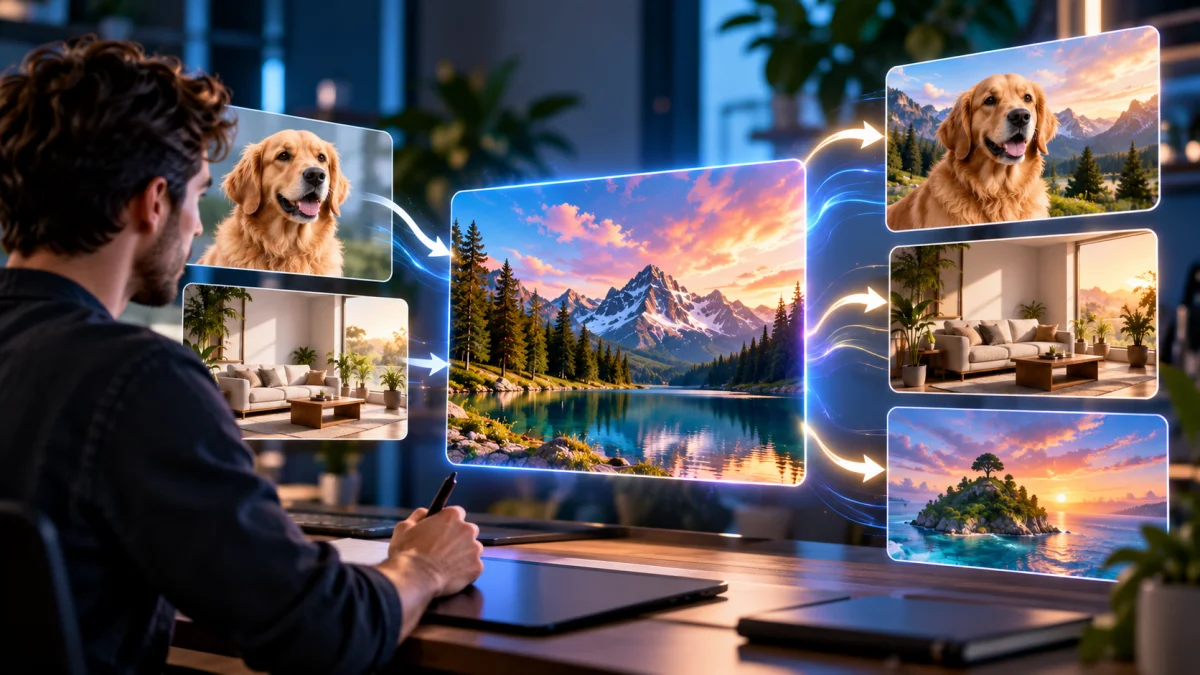
Magic Studio’s editing tools are more important than they first appear because most design work does not end with generation. Magic Edit lets a user add, replace or alter part of an image from a written instruction. Magic Expand creates new content beyond the original image border. Magic Grab separates a subject from a photo so it can be repositioned or edited like another design element.
These tools solve routine production problems. A product photo may have the wrong background. A portrait may be framed too tightly for a horizontal banner. A subject may need to move to create negative space for copy. An otherwise useful image may contain an object that needs to change.
The advantage is not that Canva invented every type of generative edit. The advantage is that the editing happens inside the layout where the asset will be used. A social media manager can extend a photo, reposition the subject, add the headline, apply the Brand Kit and resize the finished design without exporting intermediate files.
Specialist photo editors still offer deeper masking, compositing and color workflows. Magic Studio is optimized for speed and accessibility rather than replacing every professional retouching tool.
The real advantage: from generated asset to finished design
Canva’s strongest argument is workflow compression. AI generation is only the first step. A user can move from a prompt to a template, use brand fonts and colors, resize the design for another channel, collaborate with teammates and publish or export from the same environment.
That matters more for repeatable marketing output than for one artistic image. A business may need a square post, a vertical story, a presentation slide, a web banner and a print handout based on the same campaign. Reusing one visual direction across those formats can save more time than squeezing a small quality improvement out of an isolated generator.
Canva Pro and Business also connect the AI layer to larger template libraries, Brand Kits and team features. The platform therefore becomes more valuable as the job shifts from “generate a picture” to “produce a consistent set of finished communications.”
Canva pricing and AI allowance in 2026
Canva’s AI usage system has changed enough that older credit numbers are unreliable. The current Help Center describes a shared monthly AI allowance. Different AI tools consume that allowance at different rates depending on whether Canva classifies them as Standard, Premium or Ultra and how complex the task is.
Under Canva’s current published usage estimates, Free supports up to 20 uses of Standard or Premium AI tools and does not include Ultra tools. Canva Pro supports up to 200 Premium uses or up to 20 Ultra uses. Canva Business supports up to 400 Premium uses or up to 40 Ultra uses. These numbers are estimates under Canva’s stated assumptions, not a promise that every prompt will consume exactly one “credit.”
The current US annual Canva’s live pricing page lists Pro at $144 per year for one person, equivalent to $12 per month before tax when averaged across the year. Business is listed at $250 per year per person.
| Plan | Current yearly price | Published AI allowance | Best fit |
|---|---|---|---|
| Free | $0 | Up to 20 Standard or Premium uses; no Ultra access | Occasional design and AI experimentation |
| Pro | $144/year for one person | Up to 200 Premium or 20 Ultra uses | Solo creators, marketers and regular professional design work |
| Business | $250/year per person | Up to 400 Premium or 40 Ultra uses | Teams needing more AI, brand control and collaboration |
Canva describes Pro as including roughly 10 times more Premium/Ultra AI than Free and Business as about 20 times more. Standard AI tools on paid plans are generally treated more generously and may not draw from the same shared allowance under Canva’s current policy.
Heavy AI users can add AI Pass. Canva currently prices the add-on at $100 per person per month. It is a specialist purchase: Pro/Teams/Nonprofits users get 40 times more AI with the add-on, while Business users get 20 times more than their base plan. Most ordinary Canva users should first learn whether they actually hit the included allowance before adding another $100 monthly subscription.
Commercial use, AI labels and responsible design
Canva says Magic Studio AI-created works can be used for personal and commercial purposes when users comply with its AI Product Terms. That does not mean every generated result is automatically free of third-party rights concerns. Canva explicitly tells users to review generated work and respect the rights of others.
Its Canva’s Magic Studio safety and legal guidance recommends generic descriptive prompts rather than requesting famous brands, characters or people without permission. It also reminds users that they need the rights to edit source images they upload.
That boundary is useful for professional work. A small business can use generative tools to create an original background, illustration or campaign concept without treating the AI system as permission to imitate a protected character, copy a competing logo or misuse someone’s likeness.
Dream Lab also uses automated prompt and image checks to flag or block inappropriate content. Canva says generated Dream Lab images include a visible AI-created label. That is relevant to transparency workflows and reinforces why AI content should be reviewed before publication.
Where Magic Studio falls short
The first limitation is that Canva’s AI allowance is shared. A user who relies on several Premium or Ultra features can exhaust the monthly allowance faster than someone who only generates occasional images. The exact number of useful tasks therefore depends on the mix of tools and prompt complexity rather than a simple image count.
Second, Canva deliberately hides some technical complexity. That is good for accessibility but less attractive to advanced users who want granular control over model parameters, repeatable seeds, specialized reference systems or detailed generation settings.
Third, a template-led workflow can make output feel familiar. Brand Kits and custom assets help, but teams that depend heavily on public templates should still invest in art direction rather than expecting AI and templates to create a distinctive brand automatically.
Finally, Canva is broad rather than specialized. A professional retoucher may still prefer Photoshop. A vector designer may prefer Recraft or Illustrator. A creator focused only on high-end generative imagery may prefer Midjourney or another dedicated image model.
Canva Magic Studio vs Midjourney, Firefly, Recraft and Leonardo
Midjourney is a stronger fit when aesthetic image generation is the primary job and the user is comfortable taking the output into another design application. Canva’s advantage is that the image is already inside the finished layout workflow.
Adobe Firefly is closer to Canva because both connect generative AI to a larger creative suite. Firefly is strongest when Photoshop and Illustrator integration matters; our Adobe Firefly review covers that workflow.
Recraft is more specialized around design-production assets and editable vectors. Our Recraft review is more relevant if native SVG output and vector-oriented generation are decisive. Leonardo provides a broader generation-control environment with Phoenix, Realtime Canvas and Elements; Canva instead prioritizes getting AI output into templates, brand systems and publishable designs.
Who should use Magic Studio?
| User | Fit | Why |
|---|---|---|
| Social media managers | Strong | Generation, editing, resizing and publishing sit in one workflow |
| Small businesses and solopreneurs | Strong | Templates and AI reduce the need for multiple separate design subscriptions |
| Marketing teams | Strong | Brand controls and Business-level AI allowances support repeated campaign work |
| Professional designers | Supporting | Fast for routine production, but specialist design tools remain deeper |
| Image-generation power users | Mixed | A dedicated generator may offer more model-level control and experimentation |
Our AI tool review methodology separates sourced product capabilities from editorial judgments about fit.
Canva Magic Studio review: final verdict
Magic Studio works because Canva understands that most people do not need an AI image in isolation. They need a finished post, presentation, flyer, campaign asset, video or document. Dream Lab and Magic Media generate the source material, Magic Edit/Expand/Grab reshape it, and the rest of Canva turns that material into a deliverable.
The strongest reason to pay for Pro is regular use of the full design workflow rather than image generation alone. Business makes more sense when teams need more AI allowance, brand controls and collaboration. If raw image generation is the only priority, a dedicated tool can still be the better purchase. If the priority is moving from idea to finished design with minimum friction, Canva remains difficult to beat.
Frequently asked questions
Is Canva Magic Studio free?
Some Magic Studio features are available on Canva Free with a limited shared AI allowance. Paid plans increase AI access and unlock additional design, brand and editing features.
What is Dream Lab?
Dream Lab is Canva’s current AI image-generation workflow powered by Leonardo.AI’s Phoenix model. It sits alongside Magic Media and Canva’s other AI design tools.
How many AI uses does Canva include?
Canva currently estimates up to 20 Standard or Premium uses on Free, up to 200 Premium or 20 Ultra uses on Pro, and up to 400 Premium or 40 Ultra uses on Business under its published assumptions. Actual usage depends on the tools and task complexity.
Can Canva AI output be used commercially?
Canva says AI-created works can be used personally and commercially when users comply with its AI Product Terms. Users remain responsible for third-party rights and for reviewing the generated content.
Is Canva better than Midjourney or Adobe Firefly?
It depends on the job. Canva is strongest for an integrated design-to-publishing workflow. Midjourney is more specialized around image generation, while Firefly fits more deeply into Adobe’s professional creative stack.