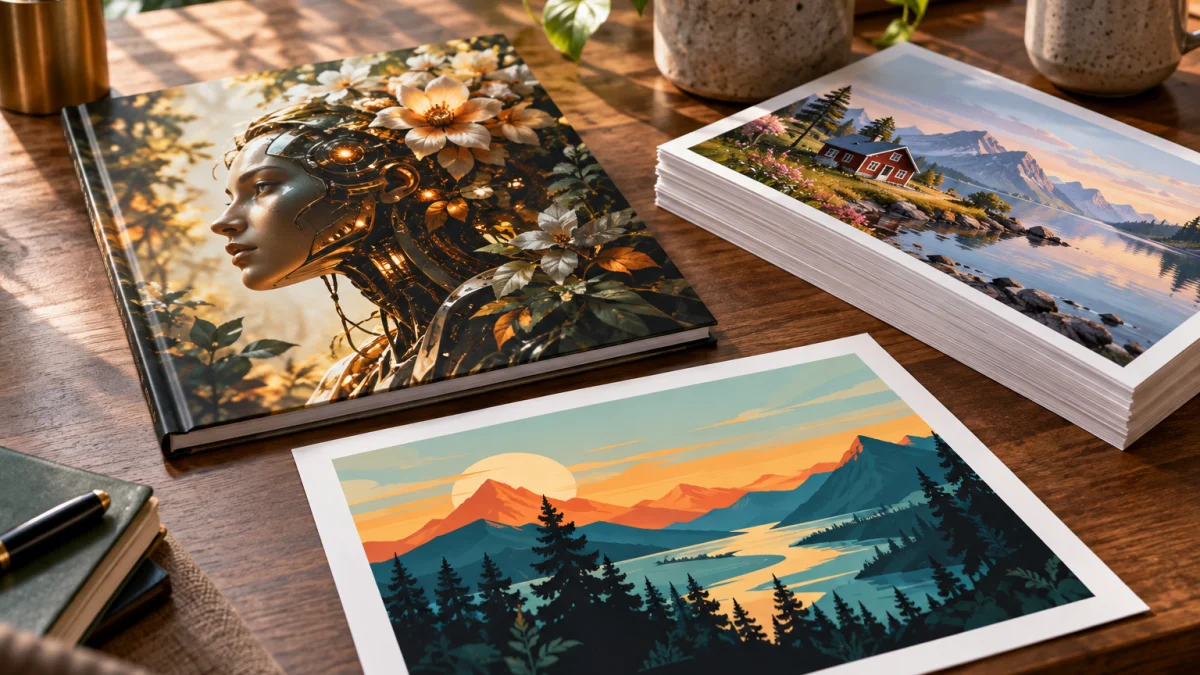
Midjourney and Adobe Firefly solve overlapping image-generation problems, but they are optimized for different parts of the creative process. Midjourney is the stronger default for open-ended visual exploration and style-driven concepting, while Firefly is usually the stronger fit when the image has to move into an Adobe-centered editing and production workflow.
Midjourney vs Adobe Firefly: the short answer
If the image itself is the main creative deliverable, Midjourney is often the more compelling starting point because its workflow is built around aesthetic exploration, style references, variations, and rapid visual branching. If the generated image is one stage in a larger production process, Firefly becomes more attractive because Adobe connects generation with continued editing in tools such as Photoshop and Illustrator.
Commercial-use requirements can also change the decision. Adobe explicitly positions Firefly around content it says it has permission or rights to use and around commercially safe creative workflows. That is relevant for teams with formal procurement or brand-risk requirements, but it is not the same as a universal legal guarantee. The exact plan, product feature, contract, and intended use still matter.
| Dimension | Midjourney | Adobe Firefly |
|---|---|---|
| Visual exploration | Strong fit for mood, style, concept art, and multiple creative directions | Capable, but often more valuable as part of a broader Adobe workflow |
| Editing existing assets | Useful generation and variation tools, but less centered on photo-editing production | Strong fit for editing, compositing, and continued work in Adobe apps |
| Creative control | Reference, style, variation, and parameter-led art direction | Prompted generation plus downstream editing and production control |
| Workflow integration | More self-contained creative environment | Designed to connect with Creative Cloud tools |
| Commercial-use posture | Requires careful review of current terms and project risk | Adobe explicitly markets Firefly around commercially safe use and controlled training sources |
| Best fit | Concepting, mood boards, campaign directions, visual experimentation | Photo editing, brand production, Adobe-centric teams, controlled production workflows |
Image quality: creative impact vs production fit
Image quality is not one number. It includes aesthetic appeal, prompt fidelity, composition, consistency, realism, editability, and how much cleanup the asset needs before it can ship.
Midjourney is frequently preferred when the priority is visual character. Its core workflow encourages you to explore variations, references, moods, and stylistic directions until the output feels distinctive. That makes it especially useful for concept art, editorial visuals, mood boards, and campaign ideation where creative range matters more than preserving an existing asset.
Firefly competes on a different axis. It can generate finished-looking images, but its strategic advantage is that generation can be followed by familiar Adobe editing. A result that is not perfect at generation time may still be efficient if the team can refine it immediately inside the same production ecosystem.
For deeper product-specific context, see our Midjourney review and Adobe Firefly review. Those reviews cover each tool independently; this article focuses on the decision between them.
Editing and workflow: where Firefly’s Adobe integration matters
Firefly becomes much more compelling when the task begins with an existing photograph, layout, or production asset rather than a blank prompt. Adobe’s own product material describes Firefly as part of a workflow that can move generated content into Photoshop and Illustrator for continued editing.
That matters because real production work often requires more than one generation. A team may need to remove an object, expand a canvas, replace a background, adjust a product shot, change a local region, preserve brand elements, and then prepare the result for another design or publishing tool. Firefly’s advantage is not only what the model generates; it is the continuity between generation and post-generation editing.
A 2026 photography-focused comparison made the distinction clearly: it recommended Firefly for editing real photos and Midjourney for generated concepts and mood boards. That is a useful framing because it compares workflows rather than pretending both products are optimized for the same job.
Creative control: exploration vs downstream editability
Midjourney and Firefly both offer control, but the control is expressed differently.
Midjourney emphasizes art-direction control. The user explores style, references, visual variation, composition, and alternative interpretations. This is powerful when the desired result is not fully specified at the start and the creative process depends on seeing several directions before choosing one.
Firefly emphasizes production control. The generated image can sit inside an Adobe workflow where the user can continue editing, compositing, masking, and adjusting the asset with more deterministic tools. This is valuable when the image must fit an existing campaign, photograph, layout, or brand system.
Neither approach is universally superior. A concept artist may feel more constrained in a production-oriented workflow, while a brand designer may prefer the certainty of downstream editing over repeated generative variation.
Licensing and commercial use: what Adobe’s positioning does and does not mean
This is the dimension that most clearly separates Firefly’s positioning from Midjourney’s creative appeal. Adobe says Firefly does not train on customer content or content mined from the web and says its models are trained on content where Adobe has permission or rights. Adobe also markets Firefly as designed for commercial use. You can read Adobe’s explanation of Firefly’s training and commercial-use approach directly.
Those claims matter, especially for enterprise teams, agencies, and clients with formal risk review. But “commercially safe” should not be interpreted as “legally risk-free in every circumstance.” Rights can depend on the exact feature, plan, contract, generated subject matter, jurisdiction, and how the output is used. Contractual indemnity, where available, is also not the same thing as a guarantee that no dispute can occur.
Midjourney users should likewise review the current product terms and the legal requirements of the project rather than relying on a general reputation for creative quality. For high-stakes campaigns, the correct workflow includes legal and brand review regardless of which generator is used.
Which tool is better for common creative workflows?
| Workflow | Better default | Why | Verification step |
|---|---|---|---|
| Concept art and mood boards | Midjourney | Strong visual exploration and rapid style branching | Check whether the final concept satisfies the actual brief |
| Editing an existing photo | Firefly | Fits naturally into Adobe image-editing workflows | Inspect preserved details, masking edges, and local changes |
| Campaign visual direction | Midjourney | Useful for generating multiple creative directions quickly | Confirm brand consistency before production |
| Adobe-centric production team | Firefly | Generation and downstream editing stay close to existing tools | Confirm the feature and plan used match the team’s licensing requirements |
| Client work with formal commercial-use review | Firefly often has the clearer starting posture | Adobe provides explicit public statements about training sources and commercial use | Review current contract, plan, output rights, and use case |
| Distinctive style exploration | Midjourney | Reference and variation workflows are designed for art direction | Check whether the style can be reproduced consistently enough for the project |
When using both tools makes sense
The strongest workflow may use both products at different stages. Midjourney can be used early for creative exploration, mood, and campaign direction. Once a direction is approved, Firefly and other Adobe tools can be used for production edits, compositing, cleanup, and adaptation to final formats.
This two-stage approach is especially useful when the project needs both strong creative discovery and controlled downstream production. It avoids forcing the same generator to be best at ideation, editing, compliance review, and final asset preparation.
Final decision framework
Choose Midjourney when the hardest part of the job is finding the right visual direction. Choose Adobe Firefly when the hardest part is integrating generation with editing, existing Adobe assets, and a more formal production workflow.
If commercial-use posture is a deciding factor, verify the exact current terms and plan before shipping. If aesthetics are the deciding factor, run the same real brief through both tools and judge the production-ready result, not only the first generation.
AiTechJournal separates vendor claims, third-party reports, and editorial synthesis in its evaluations. See how we test AI tools and browse the AI tools hub for related image-generation reviews and comparisons.